Fire ProKinetic from your Claude Code or Codex session
Assign your coding agent an interaction or transition task and tell it to open the result in ProKinetic for you to refine.

The local-first motion canvas for agentic coding. Compile your agent's interactions to native SwiftUI springs and Metal shaders, tune them live at 120Hz, and hand the Swift straight back.
For Macintosh only.
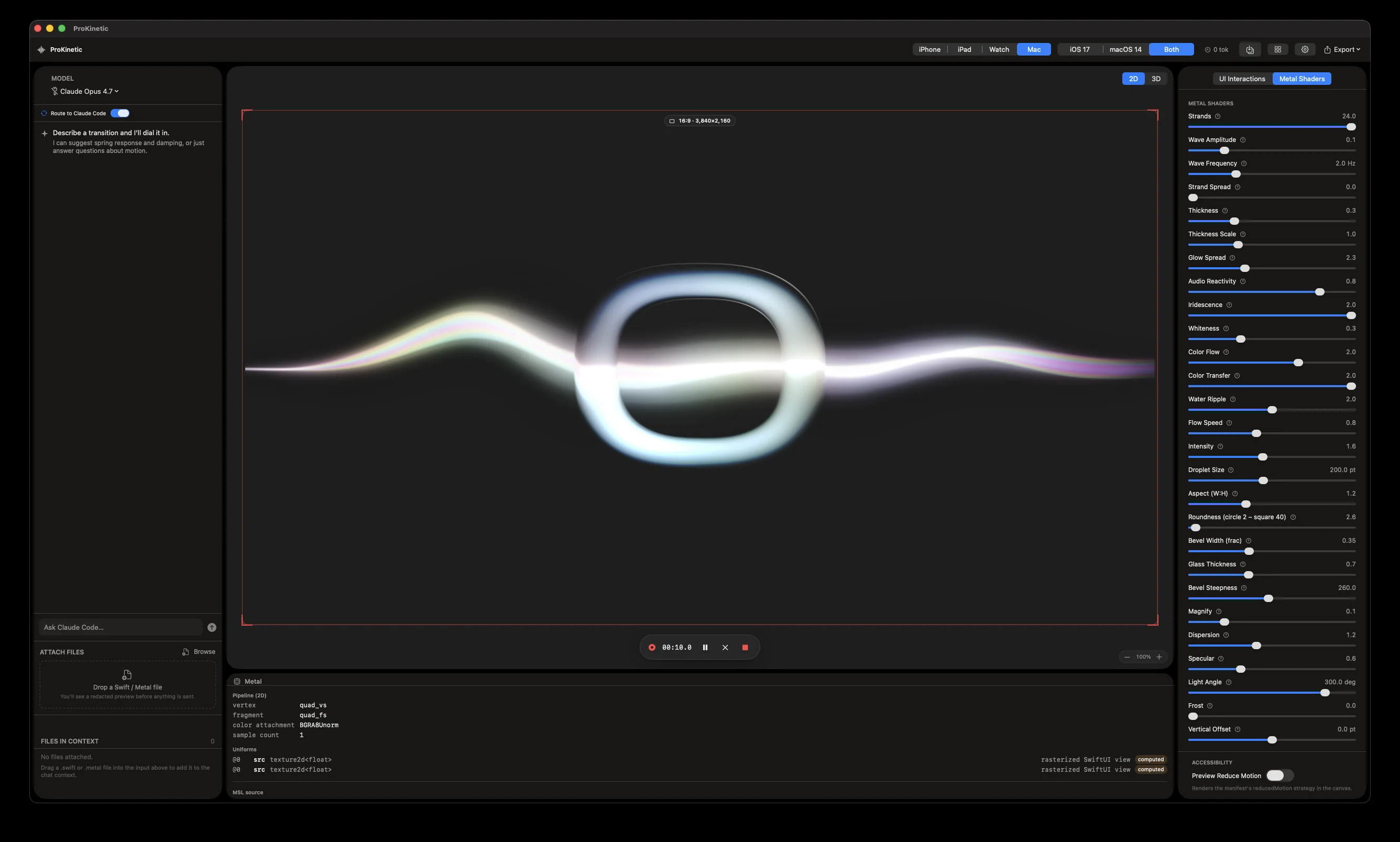
ProKinetic brings your interaction into a native canvas, where the code becomes something you can actually feel.
We were building custom interactions with AI and kept reaching the same frustrating moment: the diff looked promising, but there was no way to know whether the spring felt right without dropping out of the flow and running it.
That meant more guesses, more prompts, and more back-and-forth just to make an interface feel alive. ProKinetic started as the tool we wanted beside our own agent: a native, tactile place to refine the part of the experience a model cannot judge for you.
Assign your coding agent an interaction or transition task and tell it to open the result in ProKinetic for you to refine.
The ProKinetic MCP understands your prompt and imports your actual UI and interactions to the canvas.
Adjust spring response, damping, and shader parameters in real time and feel every change instantly on ProMotion.
Export a Swift snippet, package, or .prokinetic bundle—or send it back to your coding agent to wire in. No copy-paste, no guessing.
Made with Claude
Capture crisp 4K motion straight from ProKinetic's native render pipeline—ready for your reel, presentation, or product launch.
A native macOS app that turns your coding agent’s interaction and animation code into something you can feel. It compiles your SwiftUI transitions and Metal shaders onto a live 120Hz canvas, lets you tune the physics by hand, and hands the refined Swift back to your project.
Production-ready native SwiftUI — spring parameters, interaction structure, and Metal shader values — as a code snippet, a Swift package, or a .prokinetic bundle. You can also capture a native 4K render of the motion. No web wrapper, no prototype-to-code translation step.
Yes. Everything is standard SwiftUI and Metal that lives in your own project — no runtime, no lock-in, and no attribution required. Ship it however you like.
No. ProKinetic is built for the agentic workflow and pairs especially well with Claude Code and Codex, but the native output belongs to your Swift project and fits any workflow.
You can route requests through your existing Claude Code or Codex session, or bring your own Anthropic or OpenAI key — stored in the macOS Keychain, never in plain-text files or logs. The canvas, dials, and export are native and run locally with no account.
Yes. Your project files and all rendering stay on your Mac. Keys live in the macOS Keychain, and nothing about your UI leaves your machine except the provider you choose, when you choose.
No. Describe the feel in plain language or just turn dials — response, damping, shader parameters — and feel the change instantly. ProKinetic writes the correct SwiftUI and Metal for you.
Spring transitions and gestures, live-activity and Dynamic-Island-style components, card and list reveals, state changes, and live Metal shaders — anything expressible as SwiftUI motion or a Metal shader. The demos show the range.
No — it completes the loop. Your agent writes the code; ProKinetic is where you feel and refine the motion a model can’t judge, then send it back.
The canvas, tuning, and export are fully local and work offline. Only the AI or agent step needs a connection, through your provider.
Yes — capture a crisp native 4K render straight from the canvas, ready for a demo reel, deck, or launch.
A Mac on macOS 14 Sonoma or newer. It’s native SwiftUI and Metal, built for ProMotion 120Hz displays (and runs on non-ProMotion Macs too).
The fastest way to reach us is on X — @iosmumo (x.com/iosmumo). We’re happy to answer any questions there.
Claude Code writes the interaction. ProKinetic lets you feel it, tune it live at 120Hz, and hands it back—native to the bone.
For Macintosh only. macOS 14.0+